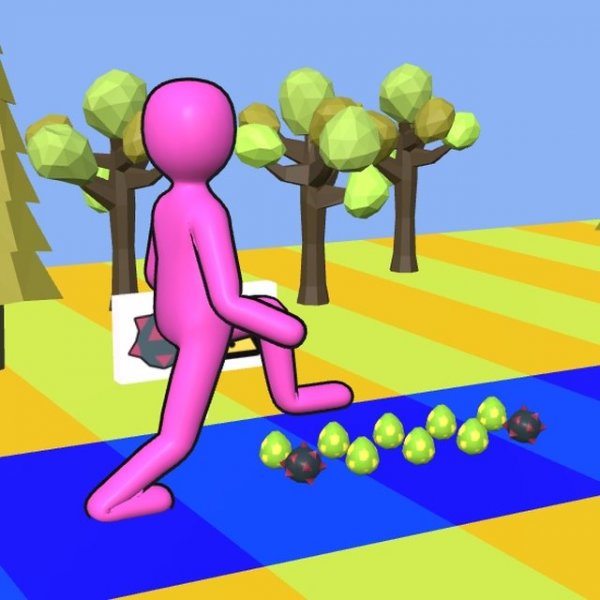
Tippy Toe 3D Arcade Adventure

Tippy Toe 3D Arcade Adventure

Developer: Pixel Star Creations
Published: 1742054400
Updated: 2026-10-01
Arcade Casual 3D

Reviews

Tippy Toe 3D Arcade Adventure keeps its scope narrow and executes it clearly. The tap-and-hold control scheme is easy to learn but demands accurate release timing, and the decision to treat points as both score and survival resource adds a light risk-reward layer to each track. The family-friendly presentation and browser-based access on PC and mobile make it convenient for short sessions. The main limitation is variety: the input never changes, so players who want mechanical depth may find it repetitive. Those seeking a relaxed but precise arcade challenge will get the most from it.

About this game

Step Control and Timing

Tippy Toe 3D Arcade Adventure builds its challenge around a single continuous input. A quick tap or click makes the character take a small step forward, while pressing and holding produces a longer stride. Releasing the control at the right moment determines whether the character lands safely or missteps. That one-button system keeps the game accessible, but the precision required means careless taps are punished quickly.

Hazards, Points, and Round Structure

Each track contains red buttons that award points when stepped on, and spiked balls that subtract from the point total. Reaching zero points ends the round immediately, so the score doubles as a life meter. A level is completed by reaching the flag at the end of the track. Because points are both a reward and a buffer against failure, players must weigh the risk of chasing buttons against the safety of a direct route.

Visual Style and Platform Access

The game uses bright, colorful 3D graphics with a clear visual design that makes obstacles and collectibles easy to identify at a glance. Full screen support is included, and the game runs in modern browsers on PC, mobile phones, and tablets. Sessions are short by design, which suits quick breaks, but nothing prevents longer play across multiple tracks.

Who It Suits

With its family-friendly presentation and simple controls, Tippy Toe 3D Arcade Adventure targets casual players of all ages. The difficulty comes from timing rather than complex rules, so new players can start immediately while experienced players can chase cleaner runs and higher scores. Anyone looking for a relaxed but demanding arcade challenge will find a consistent fit here.

Editorial Notes

Compatibility

▸ Desktop: Chrome / Edge / Firefox / Safari
▸ Mobile: iOS Safari / Android Chrome
▸ Tablet: iPadOS Safari / Android Tablet Browser
Keep your browser updated for the best experience

Faq

How do I control the character in Tippy Toe 3D Arcade Adventure?
You interact with the screen using a mouse or touch input. A quick tap or click makes the character take a short step, while pressing and holding produces a longer stride. Releasing at the correct moment is what allows a safe landing, so the entire control scheme depends on timing your input rather than steering in multiple directions.
What happens if I lose all my points?
The round ends immediately. Points are not just a score in Tippy Toe 3D Arcade Adventure; they also act as your remaining chances. Spiked balls reduce your total, and if that total reaches zero, the run is over. Stepping on red buttons restores points and keeps the round alive.
Is Tippy Toe 3D Arcade Adventure suitable for children?
Yes. The game carries a family-friendly tag and uses bright, colorful 3D graphics with no graphic content. Its simple tap-and-hold controls and clear objective make it easy for younger players to understand, though the timing precision may still require practice for anyone new to the game.
Can I play Tippy Toe 3D Arcade Adventure on my phone?
The game is built to run in modern browsers and supports PC, mobile phones, and tablets. Full screen support is included, so you can play during short breaks without installing anything. Performance depends on your browser, but the design targets smooth play across those device types.
How do I complete a level?
You complete a level by guiding the character to the flag at the end of the track. Along the way you must avoid spiked balls and manage your point total so it does not reach zero. Reaching the flag ends the level successfully, regardless of how many points remain, as long as you are still in the round.
What is the best way to improve my timing?
Practice distinguishing between short taps and held presses. Short steps help on narrow paths, while longer strides clear wider gaps and obstacles. Watch the point total as you move, prioritize red buttons when they are safe to reach, and focus on reaching the flag rather than rushing, since careless speed usually costs more points than it saves.

Comments

0 comments
U
User
★ ★ ★ ★ ★
Loading comments...