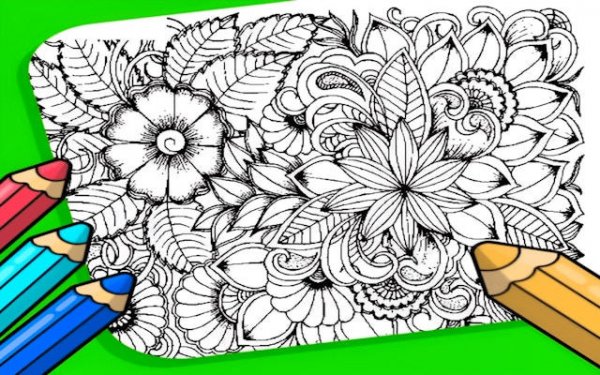
Garden Color Art Studio

Garden Color Art Studio

Developer: Topaz Veil Digital
Updated: 2026-10-01
Coloring Art Creative

Reviews

Garden Color Art Studio delivers a straightforward coloring experience with flower-themed illustrations. The absence of timers, scores, and competition makes it accessible for quick breaks or extended sessions. Adjustable brushes and a full color spectrum support both broad fills and detailed work. The auto-save feature and browser-based access remove common barriers. It suits beginners exploring digital art and experienced colorists seeking a low-pressure creative outlet. The main limitation is the lack of explicit progression or goals, which may not appeal to players wanting structured challenges.

About this game

Flower Illustrations & Complexity

Garden Color Art Studio centers on a collection of flower-themed illustrations. Designs range from simple outlines with large open areas to detailed garden scenes with intricate petals and leaves. This variety lets you choose a page that matches your available time and focus. Simpler pages suit quick breaks or those new to digital coloring, while complex scenes demand finer brush control and more deliberate color planning.

Tools, Brushes & Color Application

You select colors from a full spectrum and apply them using adjustable brush sizes. Larger brushes cover broad areas efficiently; smaller tips work well for precise details like individual petals or leaf veins. An undo function lets you correct mistakes, and you can layer shades or intentionally color outside the lines to create patterns. The auto-save feature preserves your progress automatically, so you can stop mid-session and return later without losing work.

Self-Paced Play & Accessibility

There are no timers, scores, or competitive elements. The experience is entirely self-directed, which makes it suitable for both beginners exploring digital art and experienced colorists seeking a low-pressure session. The game runs in a web browser on computers, tablets, and smartphones with an internet connection. No installation, account creation, or personal information is required to start.

Relaxation Through Repetitive Focus

Coloring activities are known to promote relaxation by focusing attention on a simple, repetitive task. This game encourages mindfulness as you concentrate on color choices and brush movements. The absence of time pressure or competition helps reduce stress, making it a useful tool for unwinding. Many users find that regular coloring sessions improve mood and provide a healthy mental break from screens and daily responsibilities.

Editorial Notes

Compatibility

▸ Desktop: Chrome / Edge / Firefox / Safari
▸ Mobile: iOS Safari / Android Chrome
▸ Tablet: iPadOS Safari / Android Tablet Browser
Keep your browser updated for the best experience

Faq

Do I need to create an account to play Garden Color Art Studio?
No. The game runs entirely in a web browser and does not require account creation or personal information. You can start coloring immediately after loading the page. This makes it convenient for quick creative sessions without any sign-up process.
Can I save my progress in Garden Color Art Studio?
Yes. The game includes an auto-save feature that preserves your work automatically. You can stop mid-session and return later without losing any progress. This is especially useful if you are working on a detailed illustration that takes multiple sittings to complete.
What devices can I use to play Garden Color Art Studio?
The game works on computers, tablets, and smartphones, provided they have an internet connection and a modern web browser. No software installation is needed. The interface uses clear icons and straightforward navigation to accommodate different screen sizes.
Is there a time limit or score in Garden Color Art Studio?
No. The game has no timers, scores, or competitive elements. You can color at your own pace without any pressure. This self-directed structure is designed to support relaxation and mindfulness rather than challenge or competition.
Can I undo mistakes while coloring in Garden Color Art Studio?
Yes. An undo function is available for corrections. If you apply the wrong color or want to adjust a brush stroke, you can reverse the action. This lets you experiment freely with color combinations and layering without worrying about permanent errors.
Are there different difficulty levels in Garden Color Art Studio?
The game does not use explicit difficulty settings. Instead, the illustrations themselves vary in complexity. Early pages feature larger spaces and simpler shapes, while more detailed garden scenes require finer brush control and more complex color planning. You choose the page that suits your skill and mood.

Comments

0 comments
U
User
★ ★ ★ ★ ★
Loading comments...