
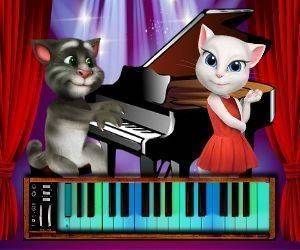
A Piano Built for Small Hands
The screen fills with a brightly colored piano, and every key is clearly marked. Tapping a key produces a distinct note, and the layout is responsive enough that even very young children can trigger sounds without precise aim. There are no menus to navigate or instructions to read before playing begins. That simplicity keeps attention on the music itself rather than on interface decisions.
Tom the Cat as a Practice Partner
An animated cat named Tom responds to each note with expressive faces and cheerful sounds. Play a longer sequence and Tom may dance or clap. These reactions act as positive reinforcement, turning a practice session into a back-and-forth exchange between child and character. The feedback stays encouraging without pulling focus away from the keyboard, so the music remains the main activity.
Two Ways to Make Music
Free play mode lets children press any combination of keys and hear how notes relate to one another. Guided songs provide a simple visual path to follow, walking players through basic melodies step by step. Beginners can build confidence with the guided option, while children who already feel comfortable at the keyboard can improvise in free play. Neither mode imposes a score or a wrong note, so every attempt ends successfully.
Calm Visuals, Low Pressure
Bright, saturated colors and gentle animations give the game a welcoming feel. Large piano keys with friendly shapes are easy for young children to distinguish, and the background stays uncluttered to reduce visual noise. Because there is no scoring system, regular play naturally develops a sense of pitch, rhythm, and tempo without the stress of failure.
Comments
0 comments