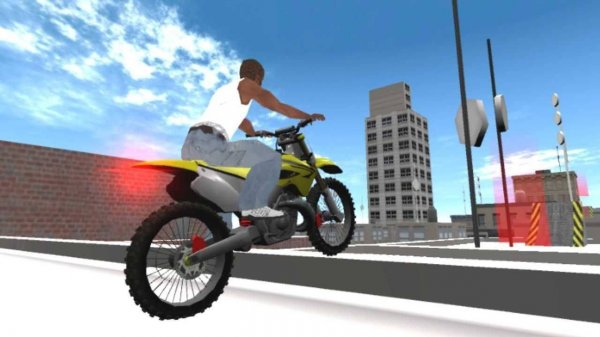
City Pedal Adventure

City Pedal Adventure

Developer: Ripple Pixel Games
Updated: 2026-07-21
Simulation Urban Biking

Reviews

City Pedal Adventure delivers a surprisingly authentic biking experience through its detailed physics system. The controls are intuitive, yet mastering balance and tricks adds satisfying depth. Exploring the city is relaxing, while challenge mode provides clear goals. The family-friendly design and free access make it an easy recommendation for anyone looking for a quality online game.

About this game

Realistic Bike Physics

The game stands out for its careful simulation of bicycle movement. Each incline, turn, and surface type affects your ride. Leaning forward or backward shifts your center of gravity, requiring you to maintain balance. This attention to detail makes navigating the city feel genuine, whether you are climbing a gentle slope or coasting downhill.

City Exploration & Objectives

The urban environment is designed to be explored. Marked destinations encourage you to traverse different neighborhoods. Along the way, you may encounter objects to avoid and tasks that test your coordination. A free-roam mode allows for relaxed sightseeing, while challenge mode presents specific goals, such as reaching a point within a time limit or performing a series of moves.

Controls & Accessibility

Keyboard arrow keys or on-screen controls let you steer and manage speed. Acceleration and braking are straightforward, making the game accessible to newcomers. The physics depth, however, provides room for improvement. Players looking for a more involved session can focus on mastering balance and executing tricks. No downloads are required; the game runs directly in a browser.

Family-Friendly Design

Content is suitable for all ages. There is no violence or inappropriate material. The focus remains on skill, coordination, and exploration. This makes it a safe choice for children and a relaxing pastime for adults. The absence of ads or paywalls ensures an uninterrupted experience.

Progression & Feedback

After each ride, the game offers feedback on your performance. This helps you identify areas for improvement, such as smoother steering or better balance. Completing challenges unlocks a sense of accomplishment and may reveal new areas or objectives. The feedback loop encourages repeated play without feeling repetitive.

Compatibility

This H5 game runs smoothly on:
• Desktop computers (Windows / Mac) • Mobile phones (iPhone / Android)
• Tablets (iPad / Android)
🌐 Best experienced with Chrome, Safari, or Edge

Faq

Is City Pedal Adventure free to play?
Yes, the game is completely free to play online. There are no hidden costs, subscription fees, or in-app purchases. You can access all features directly through your web browser without any payment.
Do I need to download any software to play City Pedal Adventure?
No download is necessary. The game runs entirely within your web browser. Simply visit the game page and start riding. This makes it easy to play on different devices without installation.
What controls are used in City Pedal Adventure?
You can use your keyboard arrow keys to steer, accelerate, and brake. On touch devices, on-screen controls are available. The controls are simple to learn but require practice to master balance and tricks.
Is City Pedal Adventure suitable for children?
Absolutely. The game contains no violent, suggestive, or inappropriate content. It focuses on skill-based biking and exploration, making it a safe and enjoyable experience for players of all ages, including young children.
What kind of challenges does City Pedal Adventure offer?
Challenges include reaching specific destinations, avoiding obstacles, and performing tricks. There is also a free mode for relaxed exploration. The game provides feedback on your performance to help you improve.
Can I play City Pedal Adventure on a mobile device?
Yes, the game is designed to work on various devices, including smartphones and tablets. On-screen touch controls are provided for mobile play, ensuring a smooth experience on smaller screens.

Comments

0 comments
U
User
Loading comments...