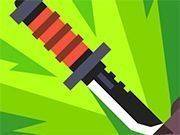
Blade Balance Arcade

Blade Balance Arcade

Developer: Fantasy Wanderer Games
Updated: 2026-10-01
Casual Skill Arcade

Reviews

Blade Balance Arcade succeeds by narrowing its scope: one core action, three modes, and a set of unlockable blades that meaningfully change how you throw. The physics-driven arcs and bounces give each attempt a responsive feel, while Classic, Challenge, and style modes offer distinct pacing. Heavier and lighter blades add depth without aggressive content. The minimal tap or click controls make it approachable for families, though the precision required means it rewards patience over flashy play.

About this game

The Physics of the Throw

Blade Balance Arcade builds its entire challenge around one action: launching a blade so it sticks into a spinning target. The difficulty comes from the blade's individual weight and balance, which change how it flies. You set your release point and force, then watch the physics engine carry the blade through a realistic arc. Reading the target's speed and angle is essential before you toss. Misses are common early on, but the game gives immediate feedback and a clear score tally so you can adjust your next attempt.

Three Modes, Three Paces

Classic mode rewards precision landings with top points, making clean throws more valuable than flashy ones. Challenge mode tests endurance by steadily increasing target speed, so your timing has to hold up under pressure. A third mode focuses on stylish throws, giving extra credit to players who add spins before the blade lands. Because each mode has a different pace, mastering one does not guarantee success in another. That separation keeps the experience from feeling repetitive.

Blades as Progression

As you improve, you unlock new blades with distinct handling traits. Heavier blades fly straighter, while lighter ones demand more careful aim. This progression gives a sense of accomplishment without relying on aggressive content. Unlocking each blade feels earned, and experimenting with different types adds depth to the core throwing mechanic. The menu tracks high scores and streaks, giving you clear personal targets to beat.

Accessible by Design

The visuals use colorful, clear graphics that make targets and blades easy to see. Controls are minimal—just a tap or click—so young players and newcomers can pick it up quickly. There is no violent content or complex story, just a straightforward challenge. That family-friendly design means parents can share the experience with children without concern. Short practice sessions help build a feel for each blade's behavior, and focusing on clean throws in Classic mode builds a solid foundation before experimenting with spins in Challenge mode.

Editorial Notes

Compatibility

• OS: Windows 10+, macOS 11+, iOS 14+, Android 10+
• Browsers: Chrome 100+, Safari 15+, Edge 100+, Firefox 100+
• Not compatible with Internet Explorer
Tested on real devices ✅ works as expected

Faq

What is the main objective in Blade Balance Arcade?
Your goal is to launch a blade so it sticks into a spinning target. You adjust your release point and force for each throw, and success depends on reading the target's speed and angle. The game tracks your score and streaks, giving you clear feedback on each attempt.
How do the three game modes differ in Blade Balance Arcade?
Classic mode rewards precision landings with top points. Challenge mode increases target speed over time to test endurance. A third mode focuses on stylish throws, giving extra credit for spins before the blade lands. Each mode has a different pace, so skills from one do not automatically transfer to another.
Do different blades change how the game plays?
Yes. Unlockable blades have distinct handling traits. Heavier blades fly straighter, while lighter ones require more careful aim. This means your release point and force need to adapt depending on which blade you use, adding depth to the core throwing mechanic.
Is Blade Balance Arcade suitable for children?
The game uses colorful, clear graphics and minimal tap or click controls, making it accessible to young players. There is no violent content or complex story. The family-friendly design allows parents to share the experience with children, though the physics-based challenge still requires practice and patience.
What controls does Blade Balance Arcade use?
Controls are minimal—just a tap or click. You set your release point and force, then launch the blade. The physics engine handles the arc and bounces, so the challenge comes from timing and reading the target rather than memorizing complex inputs.
How does the game encourage practice and improvement?
Blade Balance Arcade provides immediate feedback after each throw and a clear score tally. The menu tracks high scores and streaks, motivating you to beat personal bests. Short practice sessions help you develop a feel for each blade's behavior, and clean throws in Classic mode build a solid foundation.

Comments

0 comments
U
User
★ ★ ★ ★ ★
Loading comments...