
Building a Path, Block by Block
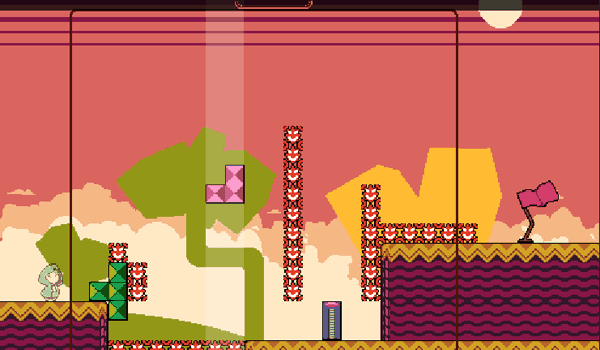
Block Bridge Builder is a puzzle game where geometric pieces descend from above, and your task is to position each one so they connect the starting point to a destination flag on the far side of a gap. Every block you place alters the space left for the pieces that follow, so the game asks you to think ahead rather than react. The loop of watching a piece fall, judging where it fits, and adjusting your plan gives the experience a steady, thoughtful rhythm.Level Variety and Rising Difficulty
Stages differ in how far you must span and what stands in the way. Narrow ledges demand precise alignment, while moving platforms shift position over time, forcing you to time your placements. As you progress, wider chasms and limited block supplies appear, gradually raising the challenge without overwhelming you early on. This structure lets you build familiarity with the core mechanic before the game tests your foresight.Controls and Responsiveness
Block Bridge Builder supports both keyboard and touch input. Arrow keys or swipe gestures move each falling piece left or right before it lands. The controls respond quickly, so your decisions translate directly into placement. That responsiveness keeps the focus on strategy rather than on fighting the interface, which matters in a game where a single misplaced block can change the whole solution.Visual and Audio Feedback
Bright, clean colors and simple geometric shapes make each block easy to tell apart. The background stays unobtrusive, keeping attention on the puzzle. Subtle sound effects mark each placement and successful completion, offering gentle feedback without distraction. The overall presentation creates a calm environment suited to short sessions or longer stretches of concentration.Editorial Notes
Compatibility
This H5 game runs smoothly on:
• Desktop computers (Windows / Mac) • Mobile phones (iPhone / Android)
• Tablets (iPad / Android)
🌐 Best experienced with Chrome, Safari, or Edge
Comments
0 comments