
Maze Navigation & Clue System
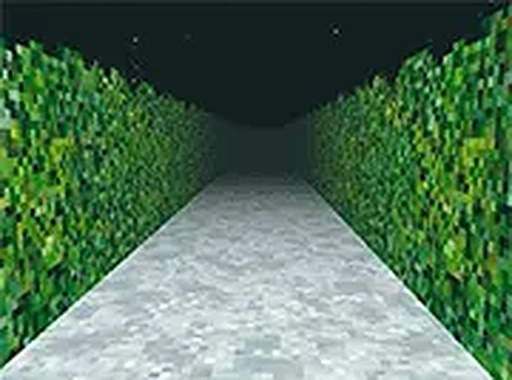
The game places you inside a hedge maze viewed from a first-person perspective. Your task is to follow a series of clues to reach a central location. Clues are hidden in the environment, such as markings on walls, changes in scenery, or subtle visual cues. At each intersection, you must decide which path to take based on the information you have gathered. The maze may include loops and branching paths, so careful observation is essential. The interface is simple, using keyboard arrows or mouse clicks to move. The game runs in a browser window and can be switched to full screen for a more immersive view.
Atmospheric Design & Engagement
The game builds curiosity through its atmospheric design. Visual effects and audio cues enhance the sense of mystery as you explore. Each turn reveals new environmental details, encouraging you to stay engaged. The puzzle elements are integrated into the surroundings, rewarding players who pay close attention. The atmosphere is designed to keep you focused on the goal of reaching the center. The game is ideal for short gaming sessions or longer periods of concentrated play. It appeals to those who enjoy thoughtful exploration and narrative-driven puzzles.
Accessibility & Technical Requirements
This game is entirely free and runs directly in a web browser. No downloads or installations are needed. It is designed for desktop computers, requiring a keyboard or mouse for input. The controls are straightforward, but the puzzle requires patience and attention to detail. Full screen mode is available for a more engaging experience. The game starts instantly in your browser, making it accessible to anyone with an internet connection. It is suitable for players who enjoy logical challenges and atmospheric storytelling.
Strategic Approach & Player Tips
To succeed, pay close attention to your surroundings, as clues may be hidden in plain sight. Take your time at each intersection to consider your options. If you feel stuck, retrace your steps to a familiar area and look for details you might have missed. Playing in a quiet environment can help you notice subtle audio cues. Stay patient and focused on the goal of reaching the center. The maze is designed to test your observation and problem-solving skills. Each playthrough may feel different due to the maze's layout and your choices.
Comments
0 comments