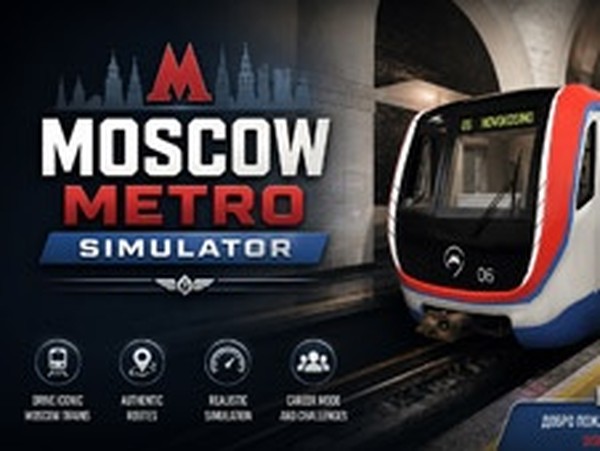
Underground Rail Operator Experience

Underground Rail Operator Experience

Developer: Fleet Core Creations
Updated: 2026-07-22
Mobile Tablet Simulation

Reviews

Underground Rail Operator Experience excels at creating a relaxed learning environment. The train physics feel responsive, and the station procedures are clearly explained. The loop route encourages repetition, which helps build muscle memory for braking and acceleration. Visual details like platform markers and tunnel lighting add to the immersion. While customization is absent, the core experience is polished and rewarding for anyone interested in transit systems. It avoids stress and focuses on skill development, making it a solid choice for casual simulation fans.

About this game

Realistic Train Handling

The core of this simulation revolves around authentic train controls. Players must manage acceleration, apply brakes at precise points, and adhere to posted speed limits. The system responds to input with realistic physics, making each stop a test of timing and accuracy. Proper use of signals and lights is also part of the routine, adding depth without overwhelming complexity.

Station Procedures & Passenger Flow

Each stop requires careful coordination. The train must align with platform markers, and doors open only after a complete halt. Passengers board and exit according to a schedule, and the operator must ensure safety before departure. A recorded announcement system helps manage crowd expectations, and the process repeats at every station along the route.

Route Design & Visual Detail

The simulated network includes multiple stations with distinct architectural styles. Tunnels, platforms, and signage reflect real-world transit design, creating an immersive environment. The route is structured as a full loop, meaning operators travel through each location twice before completing a shift. This layout encourages familiarity with the line and its unique characteristics.

Learning Curve & Accessibility

A built-in tutorial explains basic operations, making the experience accessible to newcomers. The controls are clearly labeled, and feedback is immediate when mistakes occur. There is no time pressure or penalty for errors, which keeps the atmosphere relaxed. The focus remains on education and skill-building rather than competition.

Audio & Visual Atmosphere

Sound design plays a key role in immersion. The hum of electric motors, the click of tracks, and station announcements all contribute to a believable setting. Visual elements like headlights and platform indicators help guide the operator. Together, these details create a calm, focused environment that mirrors real-world transit operations.

Compatibility

💻 Desktop | 📱 Mobile | 📟 Tablet
– All supported · Best with Chrome or Safari

Faq

Does Underground Rail Operator Experience include a tutorial for new players?
Yes, the simulation provides a step-by-step tutorial that covers basic controls like acceleration, braking, and door operation. It is designed to help newcomers understand the workflow without feeling overwhelmed. The tutorial can be accessed from the main menu at any time.
Can I play this simulation on both phones and tablets?
The game is optimized for both mobile phones and tablets. Touch controls are adapted to screen size, with larger buttons on tablets for easier access. Performance is consistent across devices, though older models may experience slight delays during complex station sequences.
How many stations are included in the full route?
The simulation features a loop route that passes through several distinct stations. Each station has its own platform layout and name, reflecting a realistic transit network. The exact number is not specified, but the route requires a complete circuit to finish a shift.
Is there a penalty for exceeding the speed limit?
Yes, the simulation enforces speed limits through visual and audio warnings. If the operator exceeds the limit, a warning indicator appears, and repeated violations may affect the overall score. However, there is no game-over state, so players can continue practicing.
Does the simulation include different weather or time-of-day conditions?
The simulation primarily focuses on daytime operations with clear conditions. Weather effects like rain or fog are not mentioned in the available information. The environment remains consistent to emphasize learning station procedures and train handling.
Can I customize the train or its controls in any way?
Customization options are limited. The simulation provides a standard set of controls that cannot be remapped or altered. The train itself has a fixed design, and no upgrades or modifications are available. This keeps the focus on mastering the default setup.

Comments

0 comments
U
User
★ ★ ★ ★ ★
Loading comments...