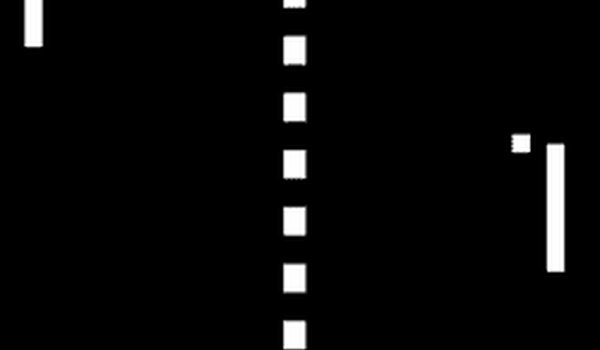
Classic Table Tennis Arcade Game

Classic Table Tennis Arcade Game

Developer: Block Veil Interactive
Published: 1739808000
Updated: 2026-09-30
2 Player Multiplayer Arcade

Reviews

Classic Table Tennis Arcade Game delivers exactly what its name suggests: a straightforward two-player recreation of the original arcade hit. The controls are minimal—W/S for one player, arrow keys for the other—and matches end at 10 points, keeping sessions short and competitive. The clean interface removes distractions, which suits its pick-up-and-play nature. This is not a game for solo players or those seeking depth beyond basic rallies. However, for friends or family looking for an accessible, fast-paced head-to-head challenge, it offers reliable entertainment without complexity.

About this game

Two-Player Duel on a Single Screen

This game recreates the original table tennis arcade experience that helped establish the video game industry. Two players face off on opposite sides of the screen, each controlling a paddle. The objective is straightforward: hit the ball past your opponent to score. The first to reach 10 points wins the match. Because rounds end quickly, the game suits short sessions and immediate rematches.

Keyboard Controls and Match Flow

Player 1 moves their paddle with the W key (up) and S key (down). Player 2 uses the Up Arrow and Down Arrow keys. The ball moves automatically after each serve. There are no power-ups or special moves—just positioning and timing. Pressing the Backspace key restarts the match at any time, so players can jump back into action without navigating menus.

Designed for Immediate Play

The interface is clean and distraction-free. No elaborate menus or settings stand between you and the game. This focus on core mechanics makes it accessible to players of all ages and skill levels. Whether you are revisiting a classic or trying it for the first time, the controls are easy to learn. The fast-paced nature means every point matters, and matches rarely drag on.

Simple Mechanics, Competitive Depth

While the rules are minimal, small adjustments in paddle position and return angle can shift a rally. Anticipating the ball's path and using precise movements—rather than large, jerky motions—helps maintain control. Varying your returns makes it harder for your opponent to predict the ball's direction. These subtle tactics add a layer of competition to an otherwise straightforward format.

Editorial Notes

Compatibility

💻 Desktop | 📱 Mobile | 📟 Tablet
– All supported · Best with Chrome or Safari

Faq

Can I play Classic Table Tennis Arcade Game alone?
No. The game is designed exclusively for two players competing head-to-head on the same device. There is no single-player mode or computer opponent. You will need a second person to play.
What keyboard keys do I use to control my paddle?
Player 1 uses the W key to move up and the S key to move down. Player 2 uses the Up Arrow key to move up and the Down Arrow key to move down. The ball moves automatically after each serve.
How do I win a match in Classic Table Tennis Arcade Game?
The first player to reach 10 points wins the match. You score a point when the ball passes your opponent's paddle. Matches are quick, typically finishing in just a few minutes.
Is there a way to restart a match quickly?
Yes. Press the Backspace key at any time to restart the match. This allows for instant rematches without returning to a main menu or resetting the game.
Does Classic Table Tennis Arcade Game have any special moves or power-ups?
No. The game focuses on pure table tennis mechanics. There are no power-ups, special shots, or additional features. Success depends on positioning, timing, and anticipating the ball's trajectory.
What makes Classic Table Tennis Arcade Game different from other table tennis games?
It is a faithful recreation of the original arcade table tennis game that helped launch the video game industry. The design emphasizes simplicity, responsive controls, and a distraction-free interface, making it ideal for casual play with a friend or family member.

Comments

0 comments
U
User
★ ★ ★ ★ ★
Loading comments...