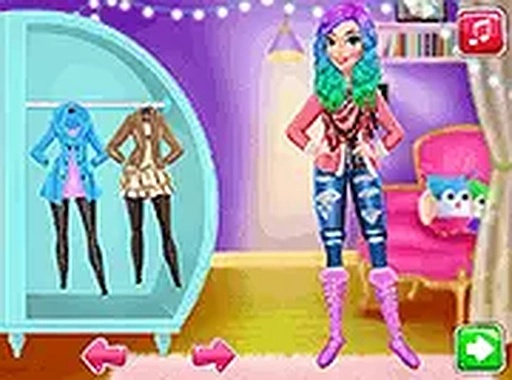
Winter Princess Dress Up Fashion Game

Winter Princess Dress Up Fashion Game

Publisher Float Wanderer Games
Release Date 2024-02-17
Update Time 2026-07-04
Tags Girls , Dress Up , Fashion
Rating 3.0
Platform Html5
Advertisement

Reviews

Winter Princess Dress Up Fashion Game offers a safe and engaging space for kids to explore fashion. The makeup and wardrobe options are varied, and the selfie mode with filters adds a fun photography element. The simulated social media feature teaches digital sharing without real-world risks. Perfect for creative play on any device.

About This Game

Game Introduction

Winter Princess Dress Up Fashion Game is a creative dress up experience set in a snowy winter destination. Players join their favorite princesses on a trip and help them get ready for cold weather. The game offers a wide selection of makeup styles, including lipstick, eyeshadow, and blush. After makeup, players choose from cozy sweaters, stylish coats, boots, and accessories like scarves, hats, and jewelry. Once the princess is dressed, the selfie stage lets players adjust poses, apply filters, and add stickers. The final step is posting the picture on social media within the game. This game encourages creativity and fashion sense in a family-friendly environment. It is designed for kids and families who enjoy styling characters and sharing moments. The winter theme adds a cozy and festive feel. Players can explore different combinations and express their personal style. The game is free to play and runs directly in the browser on mobile or desktop devices. No downloads or installations are needed. It provides a safe and positive space for creative play. The controls are simple, making it easy for young players to navigate. The game also promotes digital literacy through its simulated social media feature. Overall, Winter Princess Dress Up Fashion Game combines fashion, photography, and social sharing in a wholesome package.

How to Play

Playing Winter Princess Dress Up Fashion Game is straightforward. Start by selecting a princess to style. Use the on-screen menus to browse makeup options such as lipstick, eyeshadow, and blush. Apply the chosen makeup by tapping or clicking. Next, move to the wardrobe section. Pick outfits from a range of winter clothes like cozy sweaters, stylish coats, and boots. Add accessories like scarves, hats, and jewelry to complete the look. Once dressed, go to the selfie stage. Here, you can adjust the princess's pose, add fun filters, and place stickers on the photo. Finally, click the post button to share the picture on social media within the game. The controls are simple and intuitive. All actions are done by clicking or tapping and dragging items. No downloads are required. The game works instantly in your browser on both mobile and desktop devices. The interface is designed for children, with large buttons and clear labels. Players can experiment with different styles and combinations without any time pressure. The game encourages trial and error, allowing kids to learn fashion coordination. It also teaches basic digital skills like selecting, dragging, and posting. The step-by-step process is easy to follow, making it accessible for young players. Parents can feel confident that the content is safe and appropriate. The game does not include any ads or in-app purchases. It is a pure, creative experience. The selfie and social media features are simulated and do not connect to real accounts. This ensures a secure environment for children.

Game Features

Creative dress up with many clothing and accessory options. Selfie mode with adjustable poses, filters, and stickers. Simulated social media posting for sharing creations. Family-friendly winter theme with cozy and festive elements. Free to play with no downloads or in-app purchases. Works on mobile and desktop browsers. Simple controls suitable for young children. Encourages creativity, fashion sense, and digital skills.

Tips for Success

Experiment with different color combinations to create unique looks. Try layering accessories like scarves and hats for a complete winter outfit. Use the selfie stage to find the best pose and filter that matches your style. Practice mixing patterns and textures to develop your fashion sense.

✅ Compatibility & Testing

• Desktop (Windows 11, macOS Ventura)
• Mobile (iPhone 14, Samsung Galaxy S23)
• Tablet (iPad Pro, Android tablet)
✅Supported browsers: Chrome, Safari, Edge, Firefox (latest versions)
❌ Not supported: Internet Explorer, older browser versions

System Requirements

OS Windows 7/8/10 64-bit
CPU Core i3 3.3 GHz
Memory 4GB RAM
GPU Intel HD 4000
CPU (Recommended) Core i5 3.5 GHz
Memory (Recommended) 8GB RAM
OS Mac OSX Mojave (10.14.6+)
CPU Core i3 3.3 GHz
Memory 4GB RAM
GPU Intel Iris Pro 5200
CPU (Recommended) Core i5 3.5 GHz
Memory (Recommended) 8GB RAM

Follow Us

Faq

Can I play Winter Princess Dress Up Fashion Game on a tablet?
Yes, the game runs in any web browser on tablets, phones, and computers. No app download is needed. Just open the browser and start playing.
Does the game require an internet connection after loading?
An internet connection is needed to load the game initially. Once loaded, some features like social media posting may require connection, but the dress up and selfie modes work offline.
Are there multiple princesses to choose from?
Yes, the game includes several princess characters to style. Each can be dressed with different makeup, outfits, and accessories to create a variety of winter looks.
Is the social media feature safe for young children?
Yes, the social media posting is simulated within the game only. It does not connect to any real social media accounts or share images online. All posts stay inside the game.
How often is new clothing added to the game?
The game may receive updates with new clothing items and accessories over time. Check back regularly to discover fresh styles and seasonal outfits for your princess.
Can I save my favorite outfits to use later?
The game allows you to take screenshots of your creations using your device's capture function. You can also share them with family by saving the image from the selfie stage.

Games You Might Enjoy