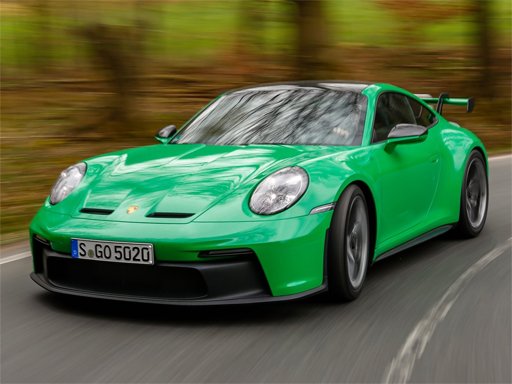
Porsche Jigsaw Puzzle Game
Reviews
Porsche 911 GT3 Puzzle Game offers a calm and rewarding puzzle experience. The six high-quality images showcase the car from different angles, each crisp and detailed. The four piece counts allow players to choose their preferred challenge, from a fast 16-piece puzzle to a more involved 100-piece one. Controls are responsive, and the preview image is a helpful guide. Replay value is high, as you can revisit any image at any difficulty. It is a clean, family-friendly game that respects your time and attention.
About This Game
Game Introduction
Porsche 911 GT3 Puzzle Game - Jigsaw Puzzle is a relaxing digital jigsaw puzzle game that showcases six stunning photographs of the iconic Porsche 911 GT3. The game combines the beauty of automotive design with classic puzzle-solving gameplay. Players can enjoy a stress-free experience with no timers or penalties, making it suitable for both puzzle enthusiasts and car fans. The core objective is to reassemble each image by placing pieces correctly on the board, with a preview of the completed picture always visible for guidance.
How to Play
To play, start by selecting one of the six available images of the Porsche 911 GT3. Then choose your preferred difficulty level, which determines the number of puzzle pieces. A preview of the completed image is shown to help you. Simply drag and drop each puzzle piece into its correct position on the board. Pieces snap into place when correctly positioned. You can switch between images and difficulty levels at any time, and the game saves your progress on each puzzle so you can return later without losing work.
Game Features
Features include six high-resolution images of the Porsche 911 GT3, capturing the car's sleek lines and powerful stance. Four difficulty settings are available per image: 16 pieces for a quick solve, 36 pieces for a moderate challenge, 64 pieces for a more demanding task, and 100 pieces for a satisfying long session. The game offers simple drag-and-drop controls that work on desktop and mobile browsers. There are no time limits or scoring pressure, allowing for a relaxed pace. A clear preview image assists with solving each puzzle.
Tips for Success
Start with the 16-piece option to get familiar with the drag-and-drop controls and the layout of each image. Use the preview image as a reference to identify where key features of the car belong. Sort pieces by color or shape to make matching easier. If you feel stuck, try switching to a different image or difficulty level to refresh your perspective. Take breaks as needed—the lack of timers means you can solve at your own pace without pressure.
Compatibility
System Requirements