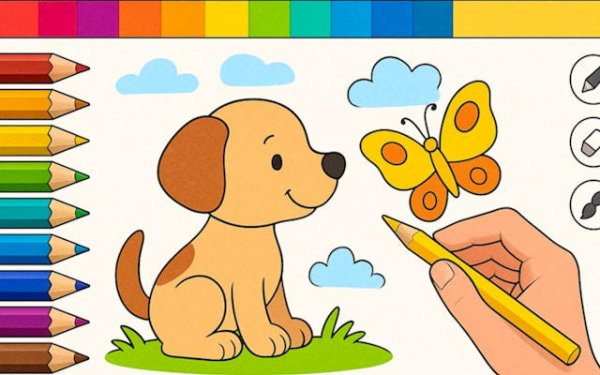
Art Studio for Kids

Art Studio for Kids

Developer: Super Rift Labs
Updated: 2026-10-01
Children Creative Expression Digital Art

Reviews

Art Studio for Kids succeeds as a digital art tool for young children by removing competition and keeping controls simple. The choice between coloring outlines and a blank canvas covers both guided practice and free expression. Large buttons and no reading requirements make it usable for preschoolers. The main limitation is the lack of advanced tools like undo or layers, but that fits the target age. Parents looking for a screen activity that encourages creativity rather than scores will find it suitable.

About this game

Two Ways to Create

Art Studio for Kids gives children a choice between structured and open-ended art. A library of pre-drawn outlines lets them practice color recognition and staying within lines. A blank canvas invites them to sketch whatever they imagine. This dual approach supports different skill levels and moods, from a guided coloring activity to free drawing.

Tools Built for Small Hands

The drawing tools are intentionally simple. A color wheel provides a wide spectrum of shades, while brush, pencil, and fill options create varied effects. The zoom feature helps with detailed sections, and the fill tool quickly covers larger areas. There are no complex menus or settings, so children can focus on making art rather than navigating options.

A Calm, Pressure-Free Space

Unlike many digital activities, this app removes competition and time pressure. There are no scores, timers, or levels to complete. This design helps reduce anxiety and lets children work at their own speed. The goal is simply to enjoy creating, whether that means finishing a detailed picture or experimenting with colors on a blank page.

Saving and Sharing Creations

Completed pieces can be saved directly to the device's photo gallery, creating a personal portfolio of a child's artistic progress. The app also offers options to share creations with family and friends through standard sharing menus. This encourages positive feedback and gives children a sense of accomplishment. Parents can easily collect and display their child's digital artwork.

Accessible for Young Beginners

The interface uses large, clearly labeled buttons and intuitive gestures, making it accessible even for preschoolers. There are no reading requirements to navigate the main functions. This thoughtful design ensures that children can use the app independently, fostering confidence and self-directed play. The clean layout minimizes distractions, keeping the focus on the creative activity.

Editorial Notes

Compatibility

✅ Works on PC & Mobile | Recommended: Chrome / Safari / Edge

Faq

Does Art Studio for Kids require an internet connection?
The app is designed for drawing and coloring on the device. Saving artwork to the photo gallery works offline. Sharing creations uses standard sharing menus, which may require an internet connection depending on the method chosen. The core creative tools do not need a connection.
Can multiple children use Art Studio for Kids on the same device?
The app does not include separate user profiles or accounts. Each child can simply start a new drawing or choose an outline. Saved artwork goes to the device's shared photo gallery, so parents may want to organize files if several children use the same device.
Is there a way to undo mistakes in Art Studio for Kids?
The provided information does not mention an undo or eraser tool. The app focuses on a simple set of drawing tools: color wheel, brush, pencil, and fill. Children can use the fill tool to cover areas, but for precise corrections, starting a new drawing may be the only option.
What age group is Art Studio for Kids intended for?
The app is designed for young children, including preschoolers. Large buttons, no reading requirements, and a lack of timers or scores make it accessible for early learners. Older children who enjoy digital art may also use the blank canvas for open-ended drawing.
Does Art Studio for Kids include advertisements or in-app purchases?
The provided description does not mention ads or in-app purchases. The app focuses on a pressure-free creative experience with no scores or levels. For specific details about monetization, check the app store listing for the most current information.
Can artwork be printed from Art Studio for Kids?
Artwork is saved to the device's photo gallery. From there, standard device options for printing or sharing apply. The app itself does not include a direct print button according to the available information. Parents can use their device's built-in print function if available.

Comments

0 comments
U
User
★ ★ ★ ★ ★
Loading comments...