Word Grid Puzzle Challenge

Word Grid Puzzle Challenge

Developer: Venture Pixel Core
Updated: 2026-10-01
Logic Vocabulary Brain Training

Reviews

Word Grid Puzzle Challenge keeps things simple: fill a grid from clues, get instant feedback, and use hints when stuck. The everyday vocabulary and gentle difficulty curve make it approachable for casual players, while browser-based play and full-screen support let it fit into short breaks. The main limitation is that the input describes no timer, scoring, or competitive layer, so players seeking pressure or progression systems may find it too relaxed.

About this game

Reading Clues and Filling the Grid

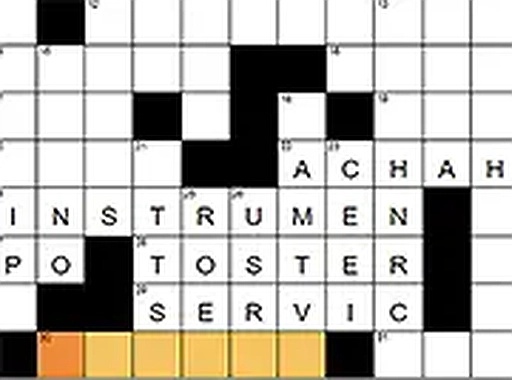
Word Grid Puzzle Challenge drops players into a blank grid paired with a list of clues. Every clue points to a word that belongs in a specific row or column. Selecting a clue highlights the cells it affects, so the target area is always clear before you start typing. Answers are entered directly into the grid, and the game checks them right away: correct letters are confirmed, mistakes are flagged. That read-think-type rhythm is the entire loop, and it is deliberately simple.

Everyday Vocabulary, Gentle Difficulty

The clues lean on common, everyday words rather than obscure trivia. That choice matters because it keeps the difficulty curve shallow enough for newcomers to make steady progress without hitting a wall. Regular players still get variety across puzzles, but the design clearly favors momentum over punishment. Finishing a grid delivers a small, clean sense of completion rather than a spike of relief.

Browser-Based, No Setup Required

The game runs entirely in a web browser. There is no install step and no account to create. The interface resizes for different screens, so the same puzzle works on a phone during a commute or on a desktop at home. A full-screen mode is available for anyone who wants fewer distractions. Because nothing needs to be downloaded or configured, the game slots naturally into short breaks or longer sit-down sessions.

Hints and Instant Feedback

When a clue refuses to click, a hint system can reveal a single letter or the entire answer for that word. Automatic answer checking removes the friction of manual verification, so players are never left guessing whether an entry is right. These tools exist to keep the experience positive: the goal is relaxation and light vocabulary practice, not getting stuck on one stubborn clue for twenty minutes.

Editorial Notes

Compatibility

▸ Desktop: Chrome / Edge / Firefox / Safari
▸ Mobile: iOS Safari / Android Chrome
▸ Tablet: iPadOS Safari / Android Tablet Browser
Keep your browser updated for the best experience

Faq

Do I need to create an account to play Word Grid Puzzle Challenge?
No. The game runs entirely in a web browser with no account creation and no software installation. You open it and start solving. That also means there is no profile, save file, or login to manage, which keeps the experience focused on the puzzle itself rather than setup.
What kind of vocabulary appears in the clues?
The clues use common, everyday words rather than obscure or specialist terms. That is a deliberate design choice to keep puzzles accessible and to let players make steady progress. You will not need an extensive dictionary or trivia background to work through a grid, though a general vocabulary still helps.
Can I play Word Grid Puzzle Challenge on a phone?
Yes. The interface adapts to different screen sizes, so it works on a smartphone as well as a desktop computer. A full-screen mode is also available if you want a cleaner view. The browser-based design means the same game is accessible across devices without separate downloads.
What happens if I get stuck on a clue?
A hint system lets you reveal either a single letter or the entire answer for a specific word. This is meant to prevent long frustrating stalls. You can use hints as often as needed, though relying on them heavily will reduce the satisfaction of completing a grid on your own.
Does the game check my answers automatically?
Yes. Correct entries are confirmed instantly, and errors are flagged as you type. This removes the need to manually verify your grid against the clues. The immediate feedback is part of what keeps the puzzle loop calm and productive rather than tense.
Is Word Grid Puzzle Challenge suitable for beginners?
The puzzle design is intentionally accessible. Clues reference everyday vocabulary, and the difficulty curve stays gentle, so newcomers can build confidence without hitting a wall. The hint system and automatic checking further lower the barrier. Regular players still get enough variety to stay engaged across multiple grids.

Comments

0 comments
U
User
★ ★ ★ ★ ★
Loading comments...