Guess Word Puzzle Game
Reviews
Guess Word offers a satisfying word puzzle experience that is easy to pick up but hard to put down. The color-coded feedback system provides clear hints, helping players improve their word-guessing strategy over time. With three difficulty modes, the game has good replay value. It is a solid choice for anyone looking to sharpen their vocabulary in a fun, low-pressure way.
About This Game
Game Introduction
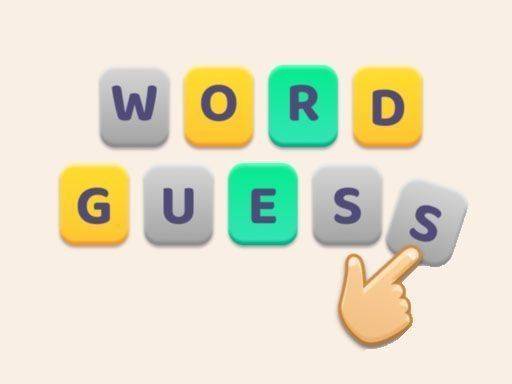
Guess Word is a delightful and free online puzzle game designed for word enthusiasts of all ages. In this engaging vocabulary game, players are challenged to guess a hidden word within six attempts. Each guess provides valuable color-coded feedback: green for correct letters in the right position, yellow for correct letters in the wrong position, and gray for incorrect letters. This simple yet addictive mechanic tests your word knowledge and deduction skills. Available on mobile, tablet, and desktop, Guess Word offers three distinct modes to keep the challenge fresh and exciting. Whether you are a casual player or a word game expert, Guess Word provides endless fun and mental stimulation.
How to Play
To play Guess Word, start by typing a five-letter word into the input field and submit your guess. The game will then color each letter: green means the letter is correct and in the right spot, yellow means the letter is in the word but not in the right spot, and gray means the letter is not in the word at all. Use these clues to refine your next guess. You have a total of six chances to find the correct word. The game features three modes, each with varying difficulty or word sets, allowing you to choose your preferred challenge. Simply click or tap to play, and enjoy testing your vocabulary!
Game Features
Color-coded hints help you learn as you play. Three game modes offer different word sets and difficulty levels. Multi-device support means you can play on your phone, tablet, or computer. The game is free to play with no downloads required.
Tips for Success
Start with common vowels and consonants to maximize information from your first guess. Pay close attention to the color feedback and use it to eliminate incorrect letters. Try to think of words that use the yellow letters in different positions. Practice regularly to improve your vocabulary and pattern recognition. Don't be afraid to use a word that repeats letters if it helps confirm or rule out possibilities.
Compatibility
System Requirements