Canine Keypress Quest
Developer: Rise Current Labs
Published: 2025-04-14
Updated: 2026-07-30
Typing Practice Educational Game Arcade Learning

Canine Keypress Quest

Reviews

Canine Keypress Quest succeeds where many educational games fall short: it makes skill-building genuinely enjoyable. The obstacle-based typing mechanic keeps attention focused, while the cheerful art style reduces the pressure often associated with learning. Beginners will appreciate the gradual difficulty increase, and experienced typists can challenge themselves with faster sequences. The free, browser-based access removes all barriers to entry. This is a thoughtful, well-executed tool for anyone wanting to improve their keyboard skills without boredom.

About this game

Learning Through Play

Canine Keypress Quest reimagines typing drills as an active arcade challenge. Instead of static exercises, players type letters and words that appear on screen to guide cheerful dog characters past oncoming obstacles. This design keeps the mind engaged, turning each keystroke into a meaningful action within the game world. The approach helps build muscle memory without the monotony of traditional typing software.

Core Gameplay Loop

Each session begins with a character moving through a colorful environment. Letters or short words float into view, and the player must type them quickly and accurately. Correct inputs clear the path forward, while mistakes or delays allow obstacles to approach. The game gradually increases the complexity of the typed content, encouraging players to expand their vocabulary and typing speed at a comfortable pace.

Visual Style and Atmosphere

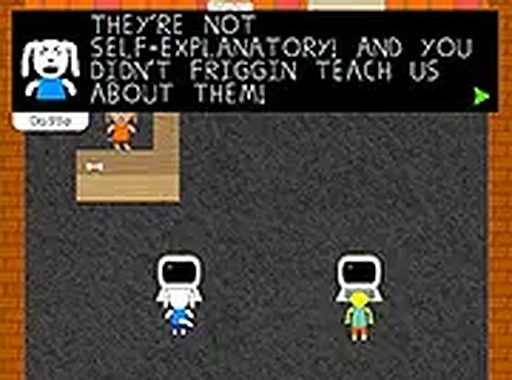
The game presents a bright, welcoming world populated by anthropomorphic dogs with distinct personalities. Backgrounds shift between areas like parks, neighborhoods, and gentle landscapes. The art style uses soft colors and simple shapes, creating a calm yet engaging environment. This visual approach reduces stress, making the learning process feel more like exploration than work.

Accessibility and Setup

Canine Keypress Quest runs entirely in a web browser with no downloads or installations. A full-screen mode helps minimize distractions during practice sessions. The game works best with a physical keyboard, as touchscreen typing does not provide the same feedback. Players of all ages can start immediately, with no account creation or payment required.

Progression and Challenge

As typing skills improve, the game introduces longer words and faster sequences. The difficulty curve feels natural, allowing players to build confidence before facing tougher sections. Some levels may include special obstacles that require typing entire phrases. This structure keeps the experience fresh for returning players while remaining approachable for newcomers.

Tips for Getting Started

New players should focus on accuracy before speed. Typing each letter correctly builds reliable habits that lead to faster performance over time. Using full-screen mode can help maintain concentration. Taking short breaks between sessions prevents hand fatigue. Regular practice of 10 to 15 minutes per day often produces noticeable improvement within a week.

Compatibility

✅ This game supports:
- Desktop browsers (Chrome, Edge, Safari)
- Mobile browsers (Chrome on Android, Safari on iOS)
❌ Does NOT support: - Internet Explorer - Very old browser versions
👉 Try refreshing or updating your browser
PLAY NOW
Advertisement

Faq

Is Canine Keypress Quest free to play?
Yes, the game is completely free to play in any modern web browser. There are no hidden fees, subscriptions, or in-app purchases. Players can start a session immediately without creating an account or providing personal information.
What age group is Canine Keypress Quest designed for?
The game suits a wide range of ages, from children learning keyboard basics to adults wanting to refine their typing speed. The content is family-friendly, with no violent or mature themes. Younger players may need initial guidance with letter recognition.
Can I play Canine Keypress Quest on a tablet or phone?
The game is optimized for desktop use with a physical keyboard. While it may load on mobile devices, the typing mechanic relies on a full keyboard for proper interaction. Tablet or phone users will not have the same experience and may find the game difficult to control.
Does Canine Keypress Quest track my typing speed or accuracy?
The game provides real-time feedback on each typed input, showing whether you hit the correct keys. Some versions may display a score or progress indicator during play. Detailed statistics like words per minute are not a core feature, but players can gauge improvement by how easily they clear obstacles.
How long does a typical game session last?
Session length varies by player preference. A single run through a level might take 5 to 10 minutes. The game encourages short, focused practice sessions rather than extended play. Players can stop at any time and resume later, as progress is saved automatically in the browser.
Are there different dog characters to choose from?
The game includes several friendly dog characters, each with a unique appearance. Players may unlock additional characters as they progress through levels or achieve certain typing milestones. The characters do not affect gameplay mechanics, so players can choose based on personal preference.

Comments

0 comments
U
User
Loading comments...