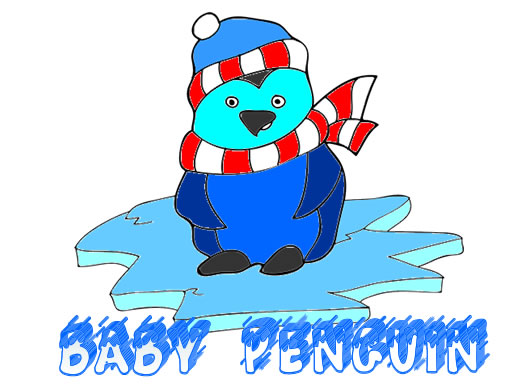
Penguin Coloring Pages for Kids

Penguin Coloring Pages for Kids

Developer: Katana Veil Digital
Published: 1744732800
Updated: 2026-10-01
Coloring Kids Creative

Reviews

Penguin Coloring Pages for Kids delivers exactly what its name suggests: a calm, browser-based coloring activity with baby penguin pictures. The absence of scores, timers, and complicated rules makes it accessible to young children who can navigate large buttons and a simple palette. The undo button and adjustable pencil size are thoughtful additions that reduce frustration and support precise work. The main limitation is the narrow scope—this is a coloring tool, not a game with progression or challenges. It suits parents seeking a safe, independent creative outlet for beginners.

About this game

What You Actually Do

Penguin Coloring Pages for Kids is a straightforward digital coloring activity. The player's objective is to color baby penguin images using a color palette and a resizable pencil tool. After selecting an image, you tap or click on areas to fill them with color. The pencil size slider helps with smaller details, letting you stay inside the lines. There are no scores, timers, or win conditions; the entire focus is on the act of coloring. When finished, you can save the image to your device.

Tools and Controls

The interface uses large buttons and simple controls suited to young children. The color palette sits on the side and offers a variety of bright colors. A slider adjusts pencil size for precision work. An undo button removes the last action, which lets children recover from mistakes without frustration. Changing colors mid-coloring is allowed at any time. These tools are the core of the experience, and they are designed to be understood quickly without adult help.

Who This Suits

This game is aimed at beginners and young artists who want a relaxed creative activity. Because there are no time limits or scores, children can work at their own pace. The penguin theme and bright colors provide a clear subject to color, while the undo and pencil-size tools offer enough control to produce a neat result. It runs in a web browser without downloads, making it easy to start. The game is family-friendly and intended for independent use by kids.

Editorial Notes

Compatibility

๐Ÿ’ป Desktop | ๐Ÿ“ฑ Mobile | ๐Ÿ“Ÿ Tablet
โ€“ All supported ยท Best with Chrome or Safari

Faq

Does Penguin Coloring Pages for Kids have any time limits or scores?
No. The game has no time limits, scores, or win conditions. Children can color at their own pace without pressure. The entire focus is on creative expression, so there is no penalty for taking a long time or changing colors repeatedly. This design supports a relaxing, stress-free activity for young players.
Can I save my finished coloring page?
Yes. When your artwork is complete, you can save the image to your device. The game includes a save function, so finished pictures can be kept or shared. There is no mention of an online gallery or cloud storage, so saving is done locally to the device you are using.
What devices can run Penguin Coloring Pages for Kids?
The game runs in a web browser without any downloads. It works on devices that support a mouse or touch input, such as desktop computers, laptops, and tablets. Because it is browser-based, no installation or app store purchase is required. A stable internet connection is needed to load the game initially.
Is there an undo button if my child makes a mistake?
Yes, the game includes an undo button that removes the last action. This lets children correct mistakes without starting over. The undo feature is part of the simple control set, and it can be used as often as needed. This helps reduce frustration and encourages experimentation with different colors.
How does the pencil size slider work?
The pencil size slider adjusts the thickness of the coloring tool. Larger sizes fill big areas quickly, while smaller sizes are better for detailed sections. This helps children stay inside the lines for a neat result. The slider is located with the other controls and can be changed at any time during coloring.
Are there different penguin images to choose from?
Yes. The game offers a collection of cute baby penguin images in playful poses. Players can select any image from the available pages before coloring. The exact number of images is not specified, but the collection provides variety. Each image can be colored multiple times with different color combinations.

Comments

0 comments
U
User
★ ★ ★ ★ ★
Loading comments...